Temperatures
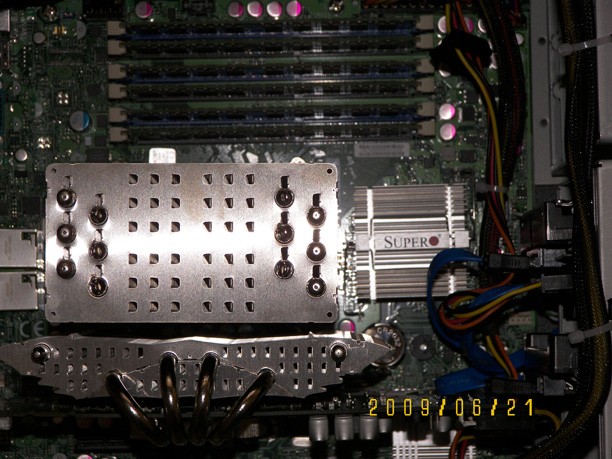
The motherboard was installed in the case, along with the video
card and the disks. It looks fine, and runs well, so we ran a temperature check.
The video card and CPU were fine, but the X58 chip (to the right of the CPU)
had a heatsink temperature of 76C. Considering that this is an idle temperature,
that's too hot for good long-term reliability, so I need to replace the heatsink.
The low temperatures of the video card and CPU are
due to the improvised ducting that was used in this prototype system. A small
piece of cardboard can be seen going between the CPU heatsink and the power
supply. This forces the majority of the air to go through the CPU heatsink,
or the video card heatsink. A small piece of foam, between the video card heatsink
and the case, closes the last significant airflow path. The side cover of the
case is close enough to the CPU heatsink and the cardboard to not create a
significant airflow issue.
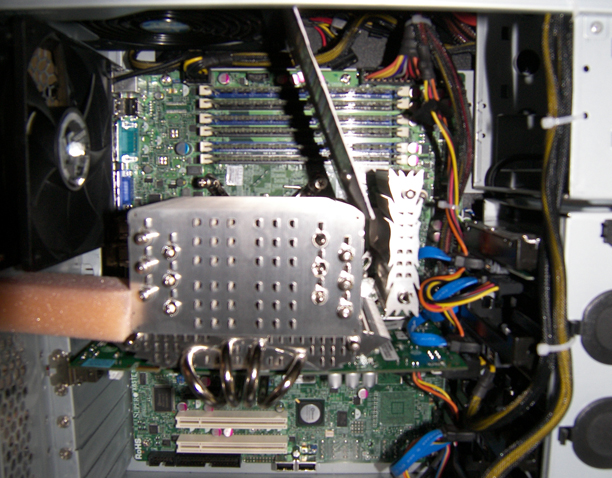
The chipset heatsink has now been replaced with a Thermalright
HR-05/IFX. It was a tight fit, but the chipset temps are now under control.
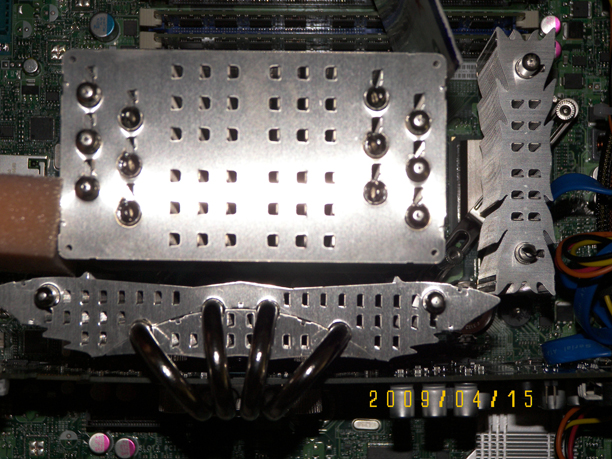
A close-up showing just how tight these heatsinks are.
The disk temperatures were a bit too warm, so a pair
of Arctic
Cooling AF 9225 PWM fans were added in the front of the case. The disk
temperatures dropped to normal, but the motherboard didn't show any speed for
either fan. The fans were checked, and found to not have a functional tachometer
signal. The good people at FrozenCPU rushed
a pair of Scythe
Kama PWM 92MM fans out to replace the broken fans, and all is well, but
a bit louder.
If you can get some functional Arctic Cooling fans, the system
will be quieter. The Scythe Kama fans are a bit louder, and move more air.
This is a tradeoff. The difference in noise level is only 2-3dBA, but it's
enough to push the system above the "silent" status for many people.
The inlet, exhaust and power supply exhaust temperatures were
measured with a Fluke
61 infrared thermometer. The system temperatures and fan speed were measured
by the Supermicro system monitoring utility Super
Doctor III. The CPU and GPU temperatures were measured by RealTemp.
The power from the wall was measured with a Kill-A-Watt.
The CPU load was Prime95. The GPU load was FurMark.
System Temperatures |
Idle |
CPU Fully Utilized |
CPU and Video Fully Utilized |
| Fan Control Setting |
Workstation |
Server |
Workstation |
Server |
Workstation |
Server |
| Inlet temperature |
25C |
24C |
26C |
24C |
24C |
24C |
| Exhaust Temperature |
31C |
30C |
34C |
35C |
35C |
35C |
| Power Supply Exhaust Temperature |
43C |
43C |
48C |
48C |
51C |
51C |
| CPU Temperature (average of all cores) |
44C |
43C |
80C |
77C |
81C |
81C |
| GPU Temperature |
60C |
56C |
60C |
56C |
86C |
86C |
| System Temperature |
33C |
32C |
34C |
32C |
34C |
33C |
| Inlet Fan RPM |
1962 |
2280 |
1875 |
2220 |
2481 |
2636 |
| Exhaust Fan RPM |
927 |
1081 |
897 |
1054 |
1222 |
1318 |
| Power From Wall |
144W |
146W |
214W |
217W |
307W |
305W |
It can be seen that the fan speed has no impact on
the power usage, and only a slight impact on the temperatures. It does, however,
have an impact on the noise. Unless the small difference in airlow makes the
difference between acceptable temperatures and unacceptable temperatures, it
is suggested that the fans be set for Workstation.
|